Home --> Categories
Product Categories
|
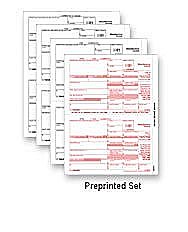
W2/W3, 1099/1096 etc. |
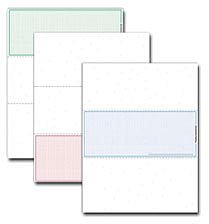
Preprinted and Blank Check Stock |
For Printed and Blank Check Stock, W2s and 1099s |
|
Misc. items for the Professional office |

Product Categories
|
W2/W3, 1099/1096 etc. |
Preprinted and Blank Check Stock |
For Printed and Blank Check Stock, W2s and 1099s |
|
Misc. items for the Professional office |
The first thing to consider is the number of checks your software prints on a single page.
The second thing to know is the size of the check stock needed, 8½″ x 11″ page or an 8½″ x 14″ page.
The next decision is, where do the laser checks need to be positioned on the page.
If you will be using software that prints one check on the page, should the check be in the top, center or bottom position?
If you will be using software that prints 2 checks on the page, determine if a check or a stub should be at the top of the page.
If your software can print 3 checks on a single page, you will need to know if they are business sized checks or personal sized checks.
If your software can print 4 personal sized checks on an 8½ x 11 page, order item # L8050814.
The next thing to verify is that the perforations on the page are correct for your software.
The measurements listed on SecureChecks.com website are all measured from the top of the page down to the perforation. For example: if the blank check stock says the perforations are at 3½, 7, 10½ then the first perforation is 3½ inches down from the top of the page, the 2nd perforation is 7 inches down from the top of the page, with a 3rd perforation at 10½ inches down from the top of the page.
The MICR line must be printed in a precise position on your blank laser checks so that the bank can properly scan it. This means you need to order blank laser checks with the correct perforations for your software. If you do not already have a MICR ruler (to ensure your MICR line is in the correct position) you can probably purchase one from the same place that you purchased the MICR toner cartridge for your printer.
If you are printing on blank check stock your software program must be able to print everything on the blank check, including the MICR line (at the bottom of the page with the check number, routing number and account number). Your printer must also have a MICR toner cartridge.
Secure Checks has a Compatibility drop down box on the left side of the screens, click there to see what checks might be listed for your software. If you don't see the blank laser checks that you need please call us for help at 800.577.4169.
Secure Checks also sells pressure seal checks, please call for assistance or a sample.
Yes, we also carry preprinted checks for Quickbooks, Quicken, Peachtree and many other software providers that use preprinted laser checks.
If you are unsure which blank laser check stock is right for your software, or if you would like a few samples please call us for assistance at 800.577.4169.