
Business & Laser Checks for QuickBooks, Sage & More
Preprinted and blank check stock, tax forms, and envelopes — MICR compliant, competitively priced, and shipped fast from a team that still answers the phone.
Questions? Call us:
1-800-577-4169
MICR Compliant
Every check meets bank scanning standards for reliable processing.
Same-Day Shipping
Order in the morning — we often ship the same business day.
Check 21 Compliant
Proper formatting for optical check processing equipment.
Real Support
Not sure which stock fits your software? We’ll help you choose.
- QuickBooks & Sage compatible
- Blank & preprinted laser checks
- W2, 1099 & tax forms
- Pressure seal checks available
Software Compatibility
Select your accounting software to see only compatible products.
View full software list →Product Categories
Browse our most popular product lines for businesses, accountants, and tax professionals.
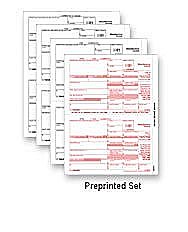
Tax Forms
W2/W3, 1099/1096, Affordable Care Act forms, and more.
Browse tax forms →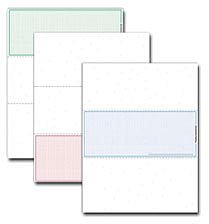
Laser Checks
Preprinted and blank check stock for every major accounting package.
Browse laser checks →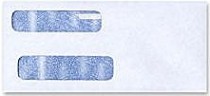
Envelopes
For printed and blank check stock, W2s, and 1099 mailings.
Browse envelopes →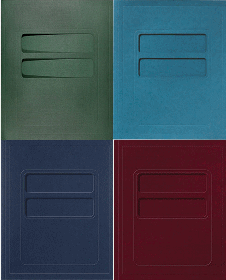
Tax Professional Supplies
Client folders, covers, and misc. items for the professional office.
Browse supplies →Preprinted Checks Entry Form · Quick Product Index · Catalogs & Product Guides
Top Sellers
Our most frequently ordered checks and forms.
Why SecureChecks?
Easy online ordering, competitive pricing, and dependable service you can count on.
Easy Online Ordering
Shop by category or use our compatibility tool to find checks that work with your accounting software.
Software Compatibility Assured
QuickBooks, Quicken, Sage, and hundreds of other packages — we help you get the right stock.
Quality Guarantees
If your checks aren’t as you ordered, we’ll make it right. MICR perfection on every order.
Super Fast Fulfillment
Buy checks in the morning and chances are we’ll ship that same business day.
Friendly, Real People
Call for samples or help choosing the right product.
Custom Formats Available
Got a custom check you need us to match or a logo you would like added, let us know and we’ll do our best to get it done!
How do I select the right blank laser check stock?
Start by knowing how many checks your software prints on a single page, and whether you need 8½″ × 11″ or 8½″ × 14″ stock.
Next, determine where checks are positioned on the page:
- 1-up checks — top, center, or bottom
- 2-up checks — check or stub at the top of the page
- 3-up checks — business or personal sized, depending on your software
- 4-up personal checks — order item # L8050814 for 8½ × 11 pages
Verify that perforation measurements match your software. All measurements on SecureChecks.com are from the top of the page down to each perforation. Your MICR line must print in the correct position — order stock with the right perforations for your program.
Use the Software Compatibility tool above to see products listed for your software, or call us for help. We also carry pressure seal checks and preprinted checks for QuickBooks, Quicken, Sage, and more. Browse blank vs preprinted checks, catalogs and product guides, or checks for accountants.
Not sure which stock is right? We’d love to help — or send you samples.
1-800-577-4169